HelpCrunch Knowledge Base is highly SEO-friendly and provides advanced optimization options at every stage.
After enabling search engine indexing, you can configure SEO settings separately for each language version of your Knowledge Base homepage.
To do this:
-
Go to Knowledge Base → Settings → Languages for translation.
-
Open the language you want to edit.
-
Navigate to the Meta & social settings section.
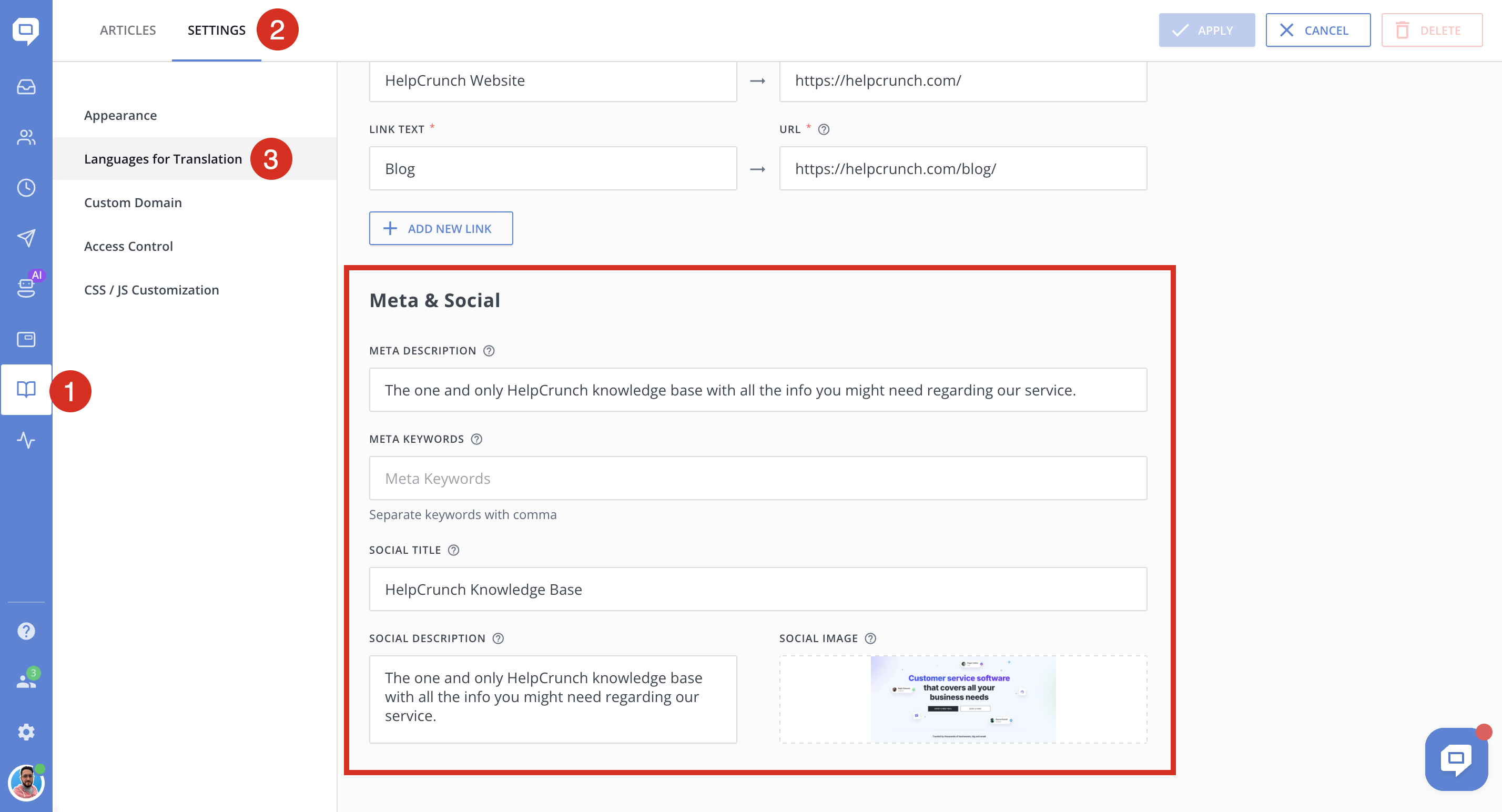
There you can define:
-
Meta description — Search engines typically display the meta description in search results. Therefore, optimizing the meta description is essential for your SEO efforts.
- Meta Keywords — A list of comma-separated keywords that describe the content of your Knowledge Base page. These keywords are added to the page’s HTML code as a meta tag and help tell search engines what the topic of the page is.
-
Social title and social description — content used when your Knowledge Base page is shared on social networks
-
Social preview image (if configured) — the image displayed in link previews
Configuring SEO data per language ensures that each localized version of your Knowledge Base is properly indexed and optimized for search engines and social platforms.
Important note about Telegram
If you upload a new social image, it may not appear immediately in Telegram due to caching.
To refresh it:
-
Go to @webpagebot in Telegram
-
Click Start
-
Paste your Knowledge Base URL
-
Press Enter
The image will refresh in all Telegram chats, including past ones.
