HelpCrunch lets you add search parameters directly to the Contacts page URL. This is useful when you want to create a direct link to a specific contact search from your CRM, internal admin panel, billing system, or any other external tool.
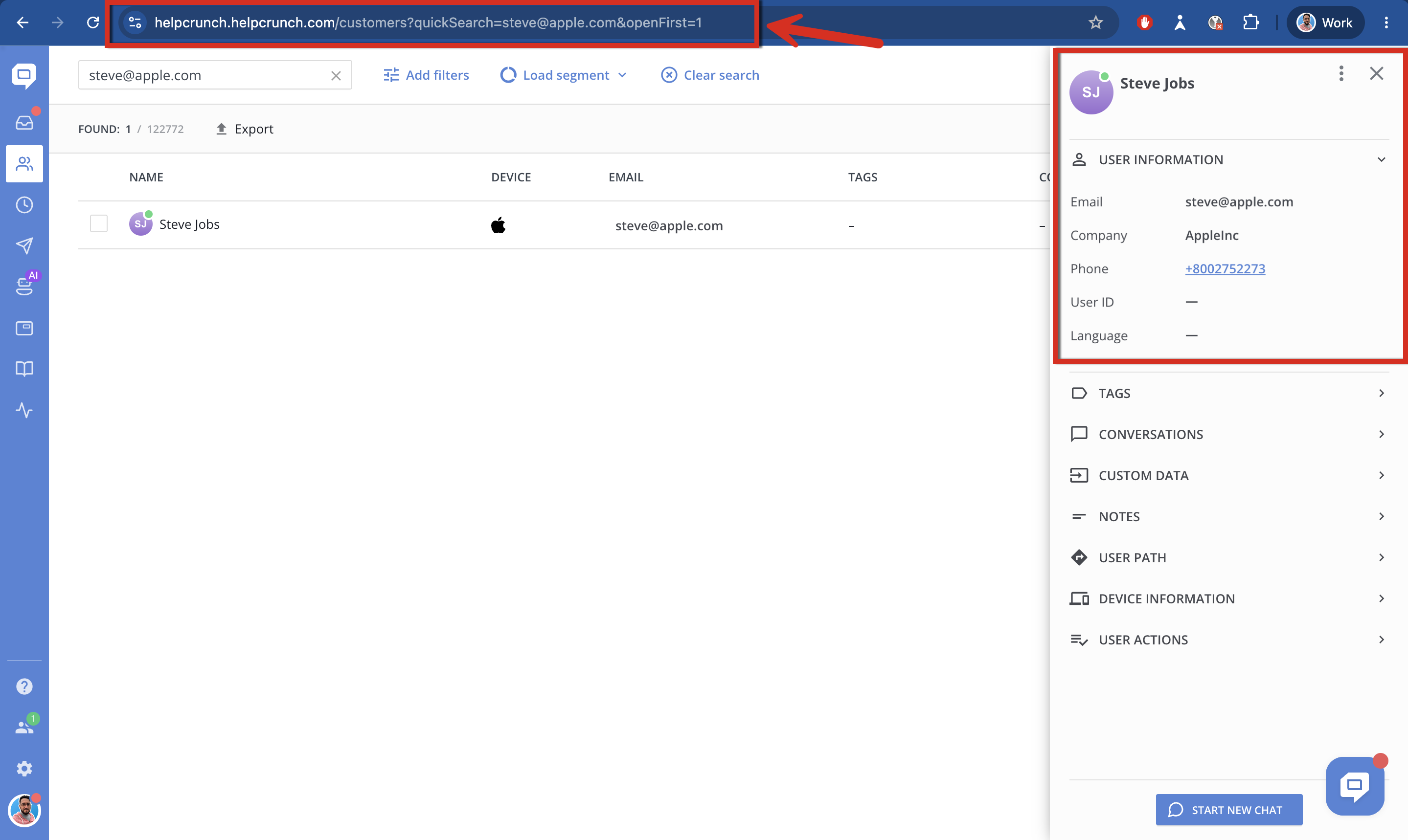
For example, you can create a link that searches for a contact by email and automatically opens the first matching contact card.
URL format
Use the following format:
https://ORGANIZATION.helpcrunch.com/customers?quickSearch=CONTACT_VALUE&openFirst=1
Replace:
ORGANIZATIONwith your HelpCrunch organization subdomain.CONTACT_VALUEwith the value you want to search for, such as an email address, name, or phone number.
Example#1:
https://appleinc.helpcrunch.com/[email protected]&openFirst=1
Example#2:
https://appleinc.helpcrunch.com/customers?quickSearch=steve&openFirst=1
Example#3:
https://appleinc.helpcrunch.com/customers?quickSearch=8002752273&openFirst=1
Available URL parameters
1. quickSearch
The quickSearch parameter automatically fills in the quick search field on the Contacts page.
For example:
quickSearch=steve
quickSearch=8002752273
When you open the link, HelpCrunch will search contacts using the specified value. You can use the contact’s email address, name, or phone number.
2. openFirst
The openFirst=1 when added, this parameter automatically opens the contact card of the first contact found by the search query.
For example:
openFirst=1
If no matching contacts are found, the Contacts page will simply show empty search results.
Important notes
- The user opening the link must be logged in to HelpCrunch and have access to the Contacts page.
- If the search value contains spaces or special characters, make sure it is properly URL-encoded.
- The openFirst=1 parameter opens only the first contact found in the search results.
- This URL-based search works with the quick search field. It does not create or save a segment.
