
You can trigger any HelpCrunch popup programmatically using showPopupById method in JavaScript API. This is helpful when you want to display a popup based on your own logic - for example, when a user performs a specific action or reaches a certain part of your website.
How to create a Popup that is triggered only via the JavaScript API
Before you start, make sure the HelpCrunch widget script is properly added to your website. Popups are displayed only if chat widget is visible on the page.
If you want your popup to be triggered only through a JavaScript API call,
- Go to the popups section and create or edit existing popup
- Select the “Launch with API” option in the popup display rules section at the bottom of your popup settings
- Hit "Save and launch" on the top right
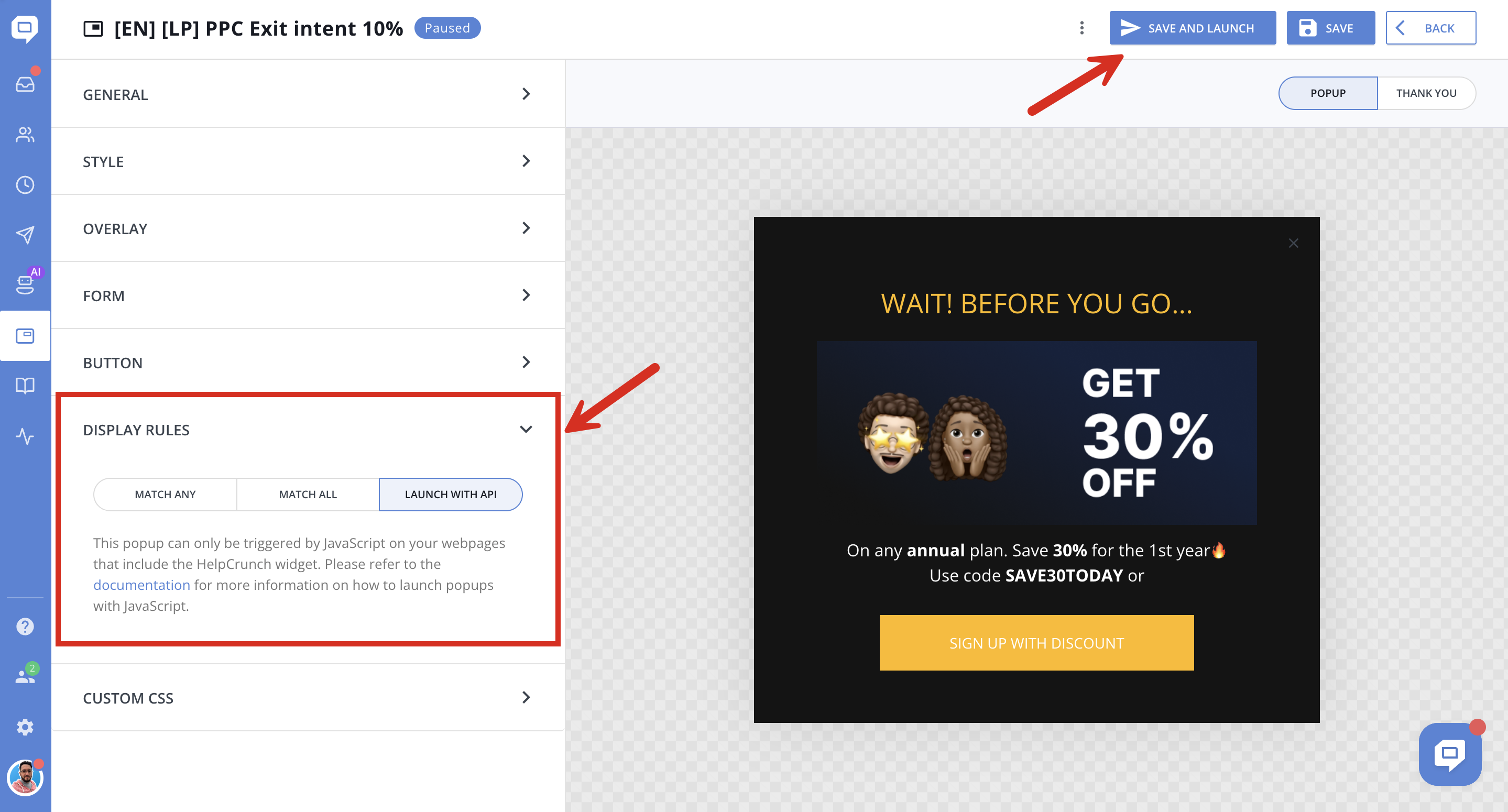
How to find the Popup ID
Next, you need to know the ID of your popup. You can find it in the page URL.
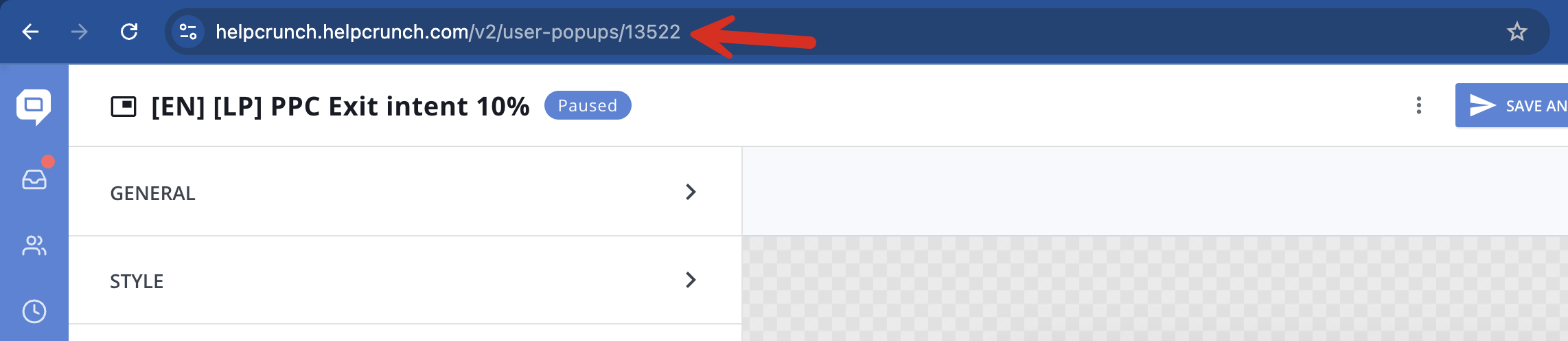
Ready to launch a popup via the JS API
Example:
If the popup ID is 13522, you can trigger via the JS API it using this code:
HelpCrunch('showPopupById', 13522);
