
This guide teaches how to write clear, conflict‑free instructions for your AI agent.
It replaces patterns that sound correct but often fail in practice (for example: routing “whenever a user sends a file”, when the AI only receives a link or plain text).
Quick mental model: how your AI agent answers
Your agent is designed to replace the first line of support.
Under the hood, the agent can:
1. Search your connected knowledge sources using a tool called searchKnowledgeBase.
- This tool searches across everything you connected to the agent (e.g., your HelpCrunch Knowledge Base + custom answers).
- The tool returns a list of documents. The agent should treat those documents as the only reliable fact for product/company questions.
2. Transfer the conversation to your team using a tool called routeToTeam.
- This is typically used when the user asks to talk to human or when the escalation is required according to your instructions.
3. Offer to close the conversation using offerToResolveConversation tool
- When it offers to transfer conversation to human - Yes/No buttons are shown
4. Close the conversation using resolveConversation
- when the user explicitly asks to end.
5. Optionally fetch user profile fields via getCurrentUserDetails
- For name/city/country info, if needed.
What the agent cannot do (unless you provide it in your knowledge sources)
- It does not browse the internet.
- It does not have access to your internal systems (CRM, billing provider, order management, etc.) unless the information is in your connected sources.
- It usually cannot “see” attachments the way a human does. In many channels the agent receives only text and/or URL.
Where to write AI Agent's instructions
You have three instruction fields. Use them consistently.
1. Personalization
Purpose: define who the agent is, who it represents, and what it’s responsible for.
Good personalization answers these questions:
- Who are you? (company + team)
- What do you support? (product lines)
- What’s out of scope?
- What tone/voice should you use?
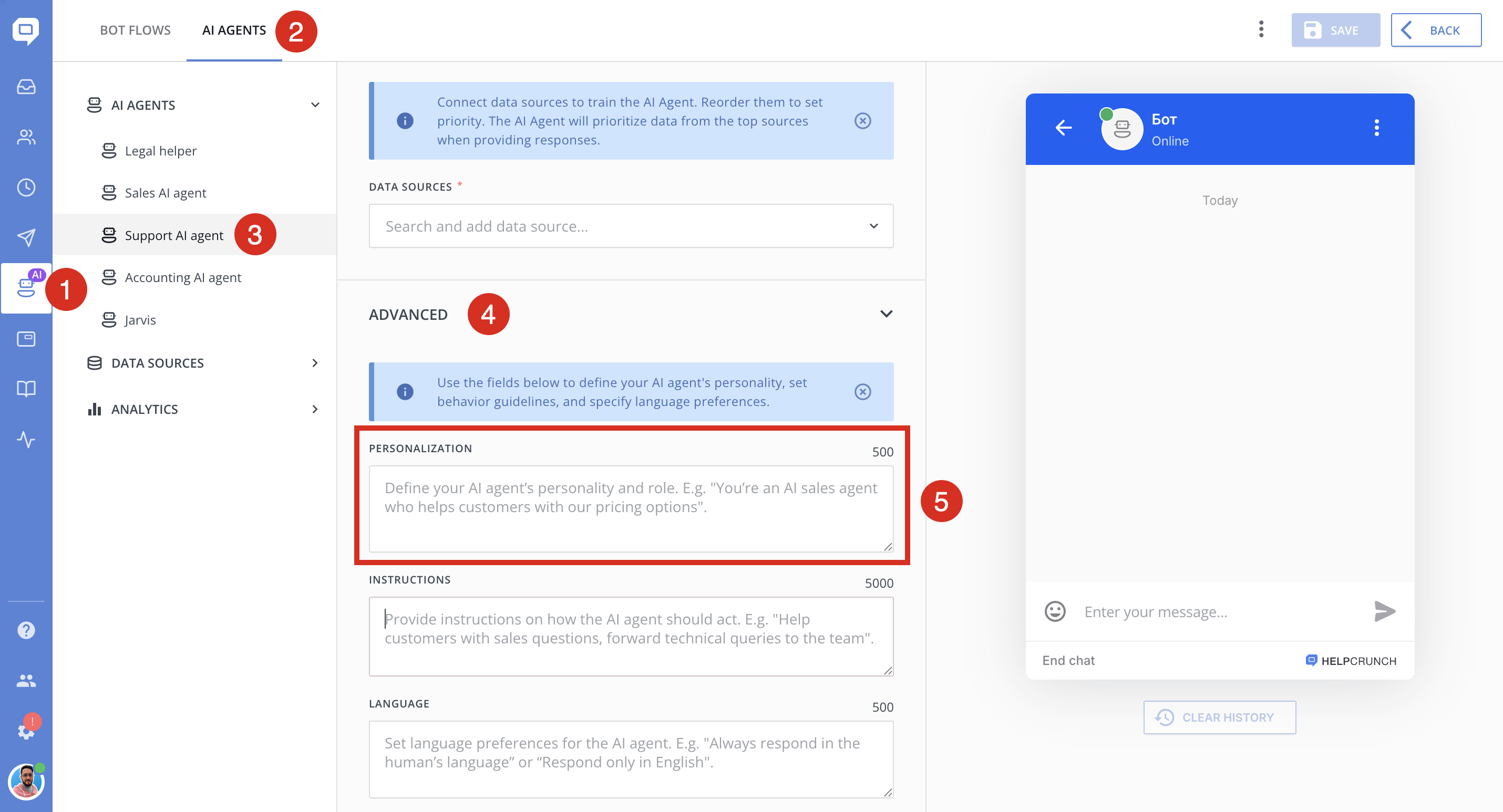
✅ Example (Personalization)
❌ Avoid vague personalization like:
Because it does not anchor decisions like “other company vs our company”, what topics are allowed, etc.
2. Language instructions
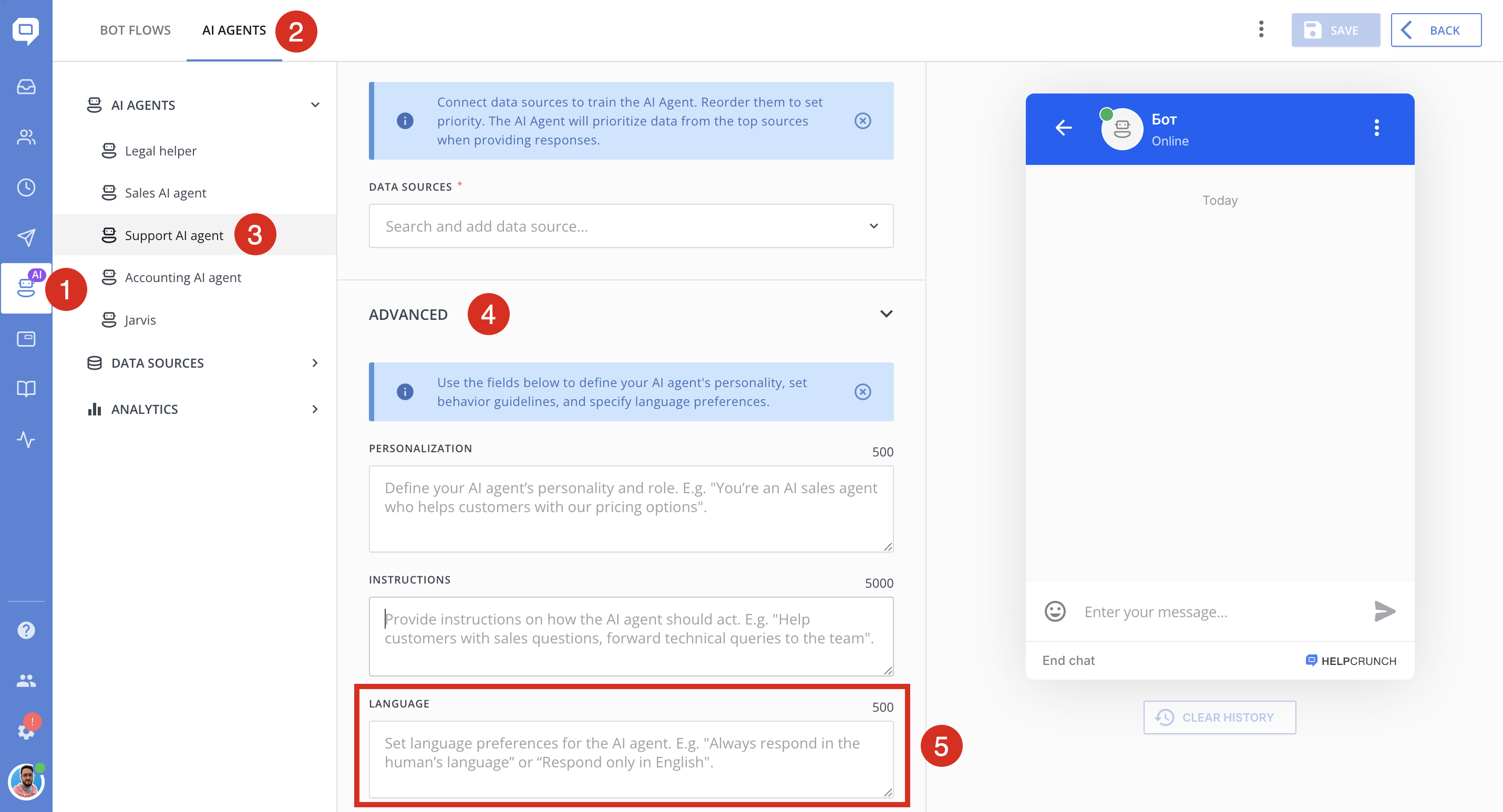
Purpose: set language behavior: what language to use, when to switch, how to handle bilingual conversations.
✅ Example (Language)
Tip: do not add complex formatting requirements here. Keep language instructions only about language.
3. Instructions (goals)
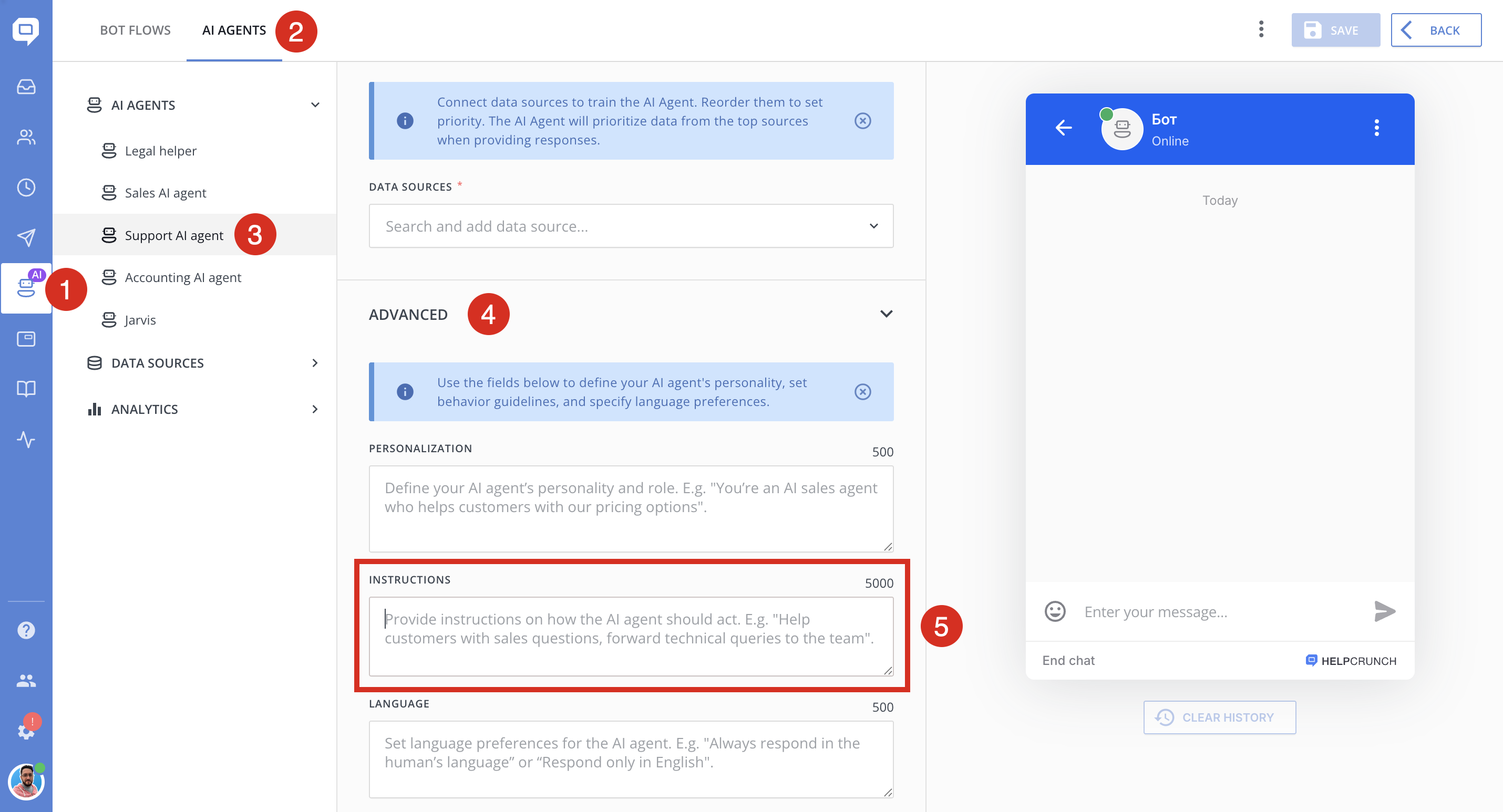
Purpose: define business rules and decision logic.
This field is where you define:
- when to use
searchKnowledgeBase - when to ask clarifying questions
- what to do if sources don’t contain an answer
- when to use
routeToTeam - safety / privacy / compliance rules
- how to handle small talk
The “production” format for Instructions (Goals)
Use this structure (copy/paste and adapt):
- You represent <COMPANY> and answer only about <PRODUCTS/SERVICES>.
- If the user asks about something unrelated, politely say it’s out of scope and offer what you *can* help with.
#Tool usage
- For product/company questions: call the tool `searchKnowledgeBase` before answering.
- Do not answer product/company facts from general knowledge.
#Greetings & small talk
- If the user only greets ("hi", "hello", "привіт", "/start"), respond politely and ask how you can help.
- Do NOT call `searchKnowledgeBase` for greetings/thanks/acknowledgements.
#Clarifying questions
- If the user request is too vague to search (e.g., "help", "it doesn't work"), ask ONE clarifying question.
#When sources don't have the answer
- If `searchKnowledgeBase` returns no relevant information: say you can’t find the answer in the connected sources.
- Then either (a) ask ONE clarifying question, or (b) offer to connect to a human by calling `routeToTeam` (only if allowed).
#Escalation
- If the user explicitly asks for a human, call `routeToTeam` with a short message.
#Safety & privacy
- Never ask for passwords, one-time codes, or full payment card details.
- If the user shares sensitive info, tell them to remove it and continue with safe steps.
#Wrap-up
- If the user says "thanks" / "that’s all": call `offerToResolveConversation`.
- If the user asks to close/end: call `resolveConversation`.
Why this format works
- It is deterministic (“If X → do Y”) instead of vague.
- It uses real tool names (`searchKnowledgeBase`, `routeToTeam`) instead of abstract “search the KB” / “use the routing tool”.
- It explicitly covers the biggest failure modes: greetings, vagueness, missing sources, and escalation.
Golden rules (and why they prevent common failures)
Rule 1 — Use real tool names
✅ Good:
❌ Risky:
Models are more reliable when tool usage is explicit.
Rule 2 — Don’t write rules the AI cannot execute
❌ Avoid rules like:
In many channels, the AI does not receive a “screenshot” as something it can visually inspect.
✅ Better:
Rule 3 — Treat “greeting-only” messages as a special case
This is one of the most common sources of weird behavior.
✅ Add a rule that says:
Rule 4 — Allow one clarifying question
Vague user messages are normal:
- “help”
- “it doesn’t work”
- “I have a problem”
If your instructions forbid clarification, you force the agent into a dead end (or hallucination).
✅ Best practice:
Rule 5 — Define what “I don’t know” means
When sources don’t contain the answer, be explicit about the behavior.
✅ Recommended:
Rule 6 — Avoid contradictions
Examples of contradictions:
✅ Fix:
Choose one default, then add exceptions:
Common instruction mistakes with AI instructions (and corrected versions)
Below are patterns that often appear in instruction drafts and what to use instead.
❌ Mistake 1 : “Always do X” rules
This can lead to irrelevant answers for greetings.
✅ Better:
❌ Mistake 2: “If user sends file/media → route”
Often not reliably detectable.
✅ Better:
❌ Mistake 3: “Handle other companies” without anchoring your company
If you didn’t clearly define who you represent, the AI can’t reliably decide what “other” means.
✅ Better:
Quick test checklist (copy/paste into your test chat)
After changing instructions, test these messages:
1) `hi`
2) `/start`
3) `thanks` / `дякую`
4) `Hi, I can’t log in` (greeting + the issue description )
5) `It doesn’t work` (vague)
6) A pricing question
7) A refund request
8) A competitor comparison question
9) A message that claims they attached a screenshot
10) `Please close this chat`
Your goal is:
Greetings - get a normal greeting (not a KB dump)
Vague messages - trigger one clarifying question
Product questions - trigger search + grounded answer
Out-of-scope - stays out-of-scope
Escalation behavior - matches your policy
Final tip: instructions + sources must match
Even perfect instructions cannot compensate for missing knowledge content.
If the agent often says it can’t find the answer:
- Add/expand relevant articles in your Knowledge Base.
- Create saved answers for edge cases.
- Use clear titles and include the exact phrases your users type (feature names, error messages, menu labels).
