
Custom Answers allow you to fine-tune your AI’s behavior and cover specific questions that may not be fully addressed in your knowledge base.
To create a Custom Answers data source:
-
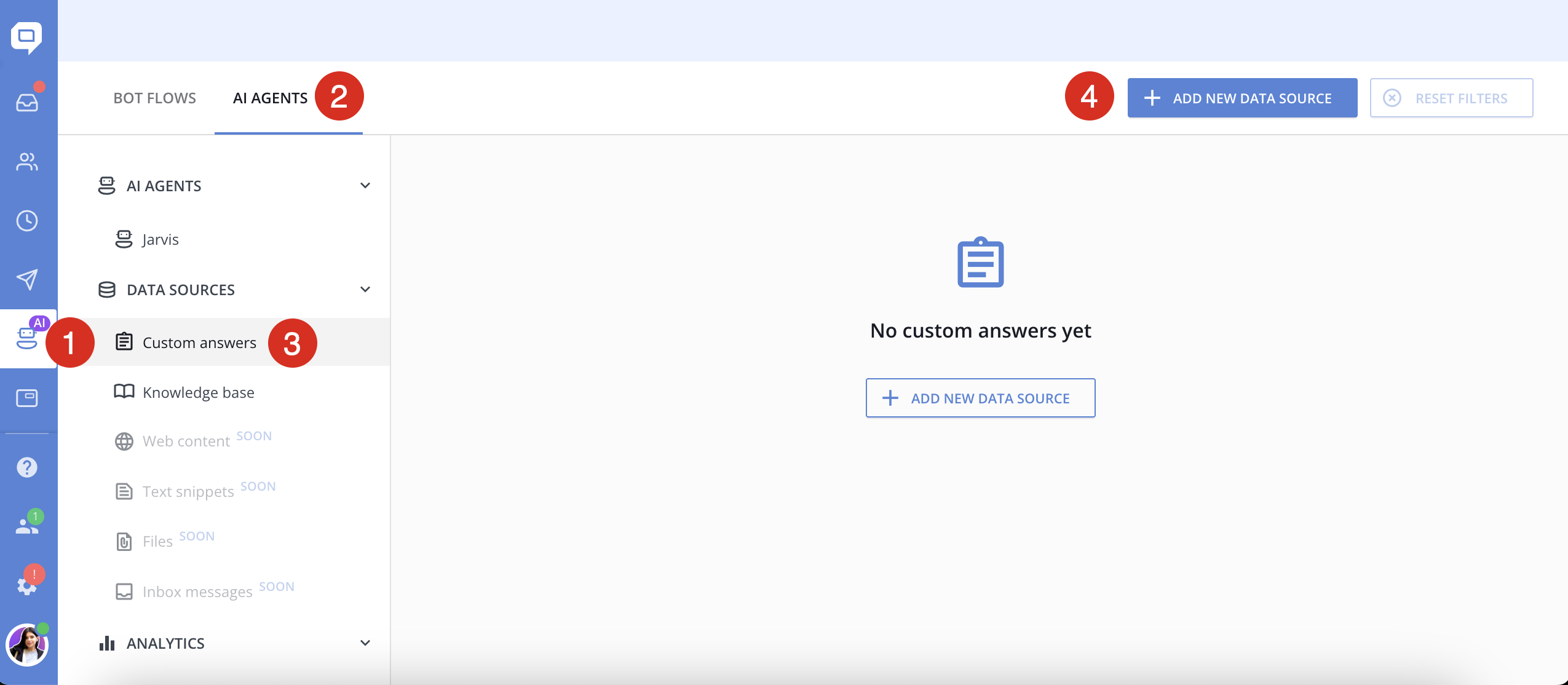
Go to Chatbot → AI Agents → Data Sources
-
Click + Add new data source and select Custom Answers
-
Name your custom data source (e.g., “Pricing FAQs” or “Common Objections”)
-
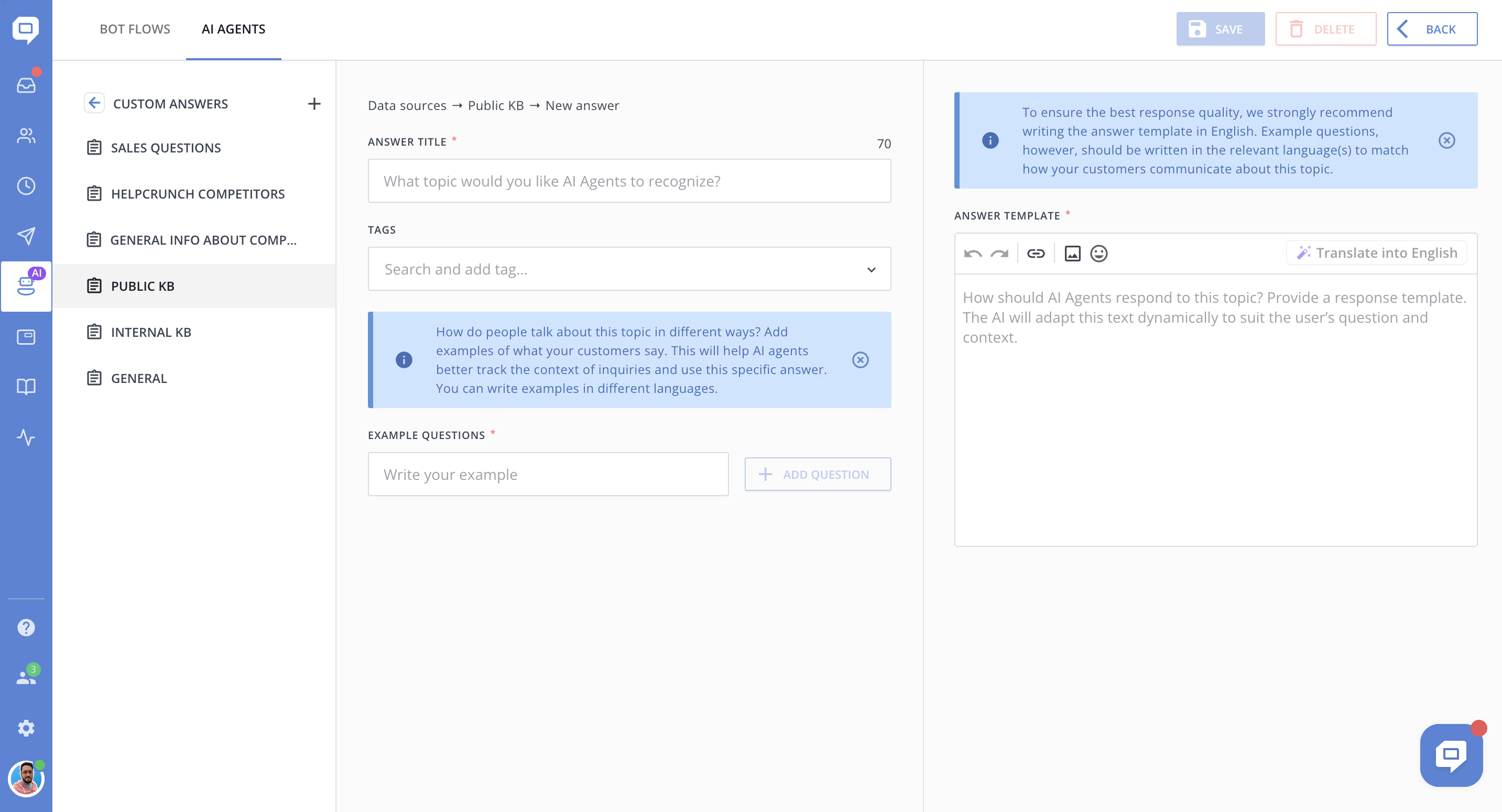
Now click + Add new custom answer
-
For each entry, fill in:
-
Example customer question
-
AI’s expected reply
-
-
Save your custom answer
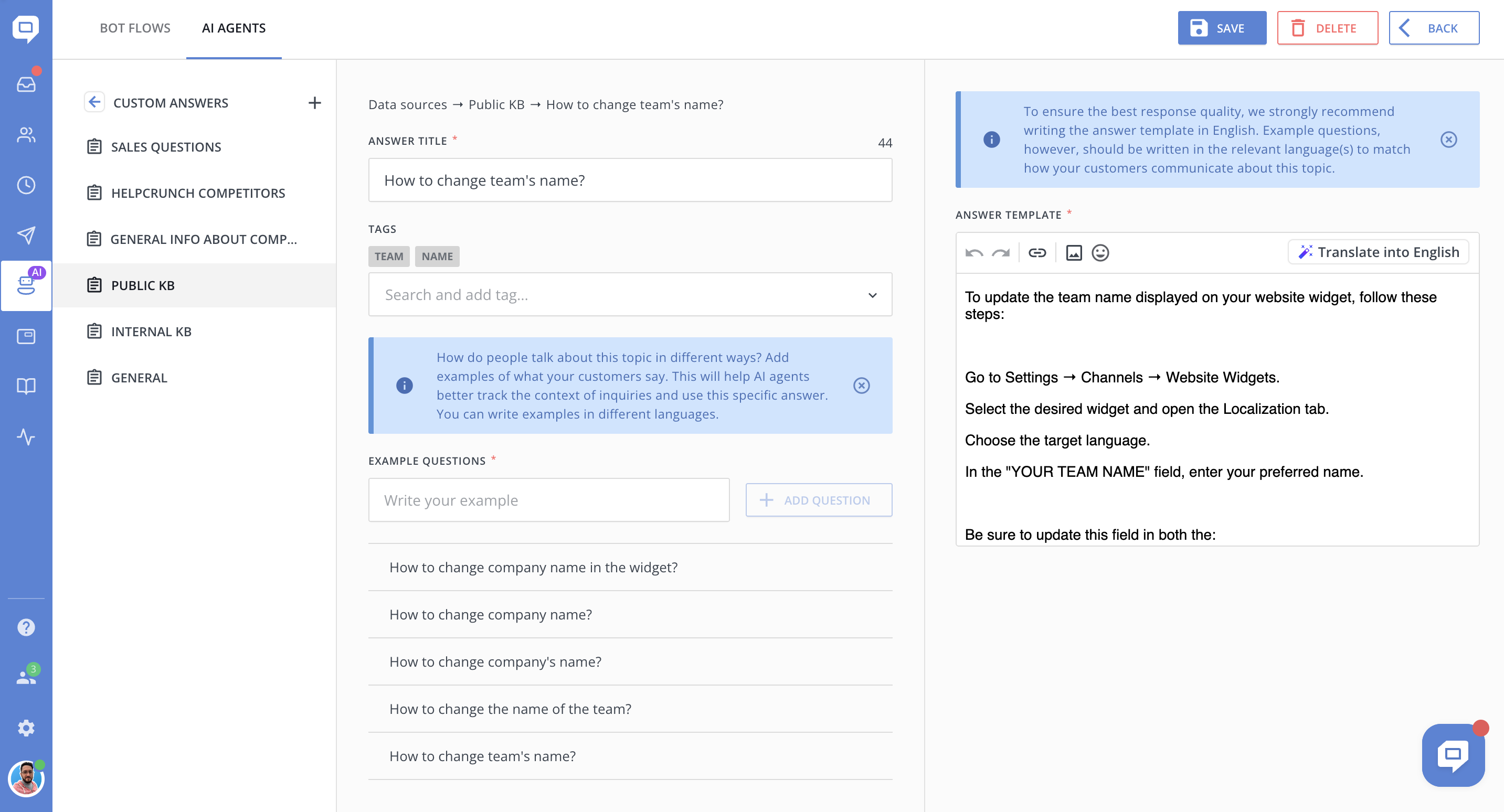
Repeat the process to build up a comprehensive internal FAQ that AI can rely on.
💡 Use variations of common phrases. For example, customers might say “cancel my account”, “stop my subscription”, or “turn off billing” - adding these variations improves accuracy.
👉 Next Step
Once your data sources are ready, you're all set to build your AI Agent!
➡️ Continue to: How to create an AI Agent and train it on specific data sources
